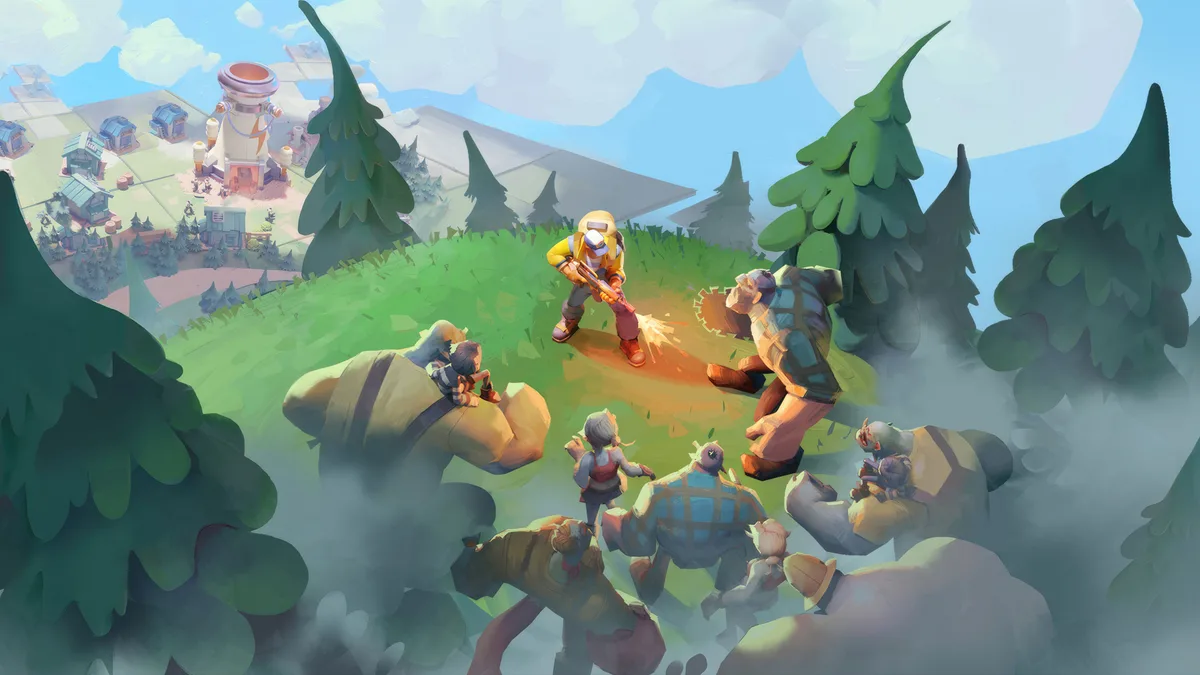

First thing to get straight: Tiles Survive! is a mobile game. FunPlus built it for Android and iOS, and there's no native Windows client. That doesn't mean it's off-limits for PC players — it means you run it through an Android emulator like BlueStacks or LDPlayer. Do that and you get the better version of the game: a full monitor instead of a phone, mouse control for precise tile taps, keyboard shortcuts, and the option to leave production running in a window while you do something else. If you're reading this on a desktop, install an emulator first, then come back — the rest of the advice assumes you're playing on a big screen.
The game itself is a tile-by-tile survival strategy title. You play alongside Sarge, a former Special Forces officer, clearing fog one square at a time to gather resources, expand your Settlement, and hold back a zombie horde. Underneath the exploration is a slow-burn management loop: assign survivors to jobs, keep them fed and rested, and upgrade the buildings that gate your progress. Here's how to start without stalling.
Expand deliberately, not greedily
Every tile you clear reveals something — a resource node, a ruin, a blueprint, a new biome, or a zombie threat you're not ready for. New players tend to sprint outward, popping fog in every direction. Don't. Uncontrolled expansion drains your action resources and drops you next to enemies you can't beat yet.
- Clear toward resources you actually need. If construction is waiting on wood, push toward forest tiles. If food is tight, open tiles that feed your supply. Let your current bottleneck decide the direction.
- Read the biomes. Different regions hold different materials and different zombie types. The farther out you go, the richer the loot and the nastier the threats — so scout the edge before you commit to living there.
- Leave the big threats alone early. Titan-class zombies guarding a juicy tile aren't going anywhere. Come back when your heroes and camp are stronger instead of throwing yourself at them and losing progress.
Think of the map as something you peel open on purpose, one useful square at a time — not a fog you race to erase.
Keep survivors fed, rested, and working the right jobs
Your survivors are the engine of the whole camp, and they're needier than they look. Each one can specialize — hunter, chef, lumberjack, and other roles — and the mistake is treating those assignments as permanent. They aren't.
- Rebalance jobs to match your needs. Piling into a major construction upgrade? Shift bodies onto lumber. Watching your food reserve slide? Move people to food roles before it becomes a crisis. Reassign constantly.
- Target food at roughly double your survivor count. That covers everyone eating now and leaves a buffer for new arrivals. A well-fed survivor works harder and stays in a better mood; a hungry one drags your whole output down.
- Watch health and morale, not just headcount. You can fully staff a facility and still get weak output if those workers are sick, exhausted, or miserable. Rest and good meals aren't a luxury — they're production. Upgrade housing (better furniture speeds recovery) so your people bounce back faster.
If a building's numbers look worse than the staffing suggests, the answer is almost always a tired or unhappy crew, not more workers.
Prioritize the Power Plant and steady electricity
The Power Plant is the backbone of your Settlement. It supplies the electricity that runs your operations and speeds up production across the camp, and it tends to gate your other upgrades. Raising it early pays off everywhere at once, so make it one of your first serious investments and keep it near the top of your queue.
Alongside it, wire power to the facilities that matter most right now and keep the supply steady — a camp that browns out loses the production speed you were counting on.
Early do's and don'ts
A few habits separate a smooth first week from a stalled one:
- Do finish the tutorial objectives and early quests. They hand you the resources and unlocks that fund your first real push. Free progress — take it.
- Do join an alliance as soon as you can. Co-op play brings help gathering, defending, and clearing tougher tiles. Playing solo in a game built around alliances leaves a lot on the table.
- Don't dump resources into everything at once. Pick your bottleneck — usually the Power Plant, food, or the building blocking your next unlock — and pour into that.
- Don't over-recruit survivors you can't feed. More people you can't supply just means more mouths and lower morale across the board.
- Don't ignore your defenses. The horde is the whole point. Keep enough capability to hold your ground before you go treasure-hunting on the frontier.
The short version
Run it on Windows through an emulator for the mouse-and-monitor upgrade. Expand toward what you need instead of clearing fog for its own sake. Keep food at about double your headcount, reassign jobs as bottlenecks shift, and never let morale or health rot. Raise the Power Plant early, lean on an alliance, and hold your defenses steady. Do that, and the moment the map really opens up, your camp will be ready to take it.