
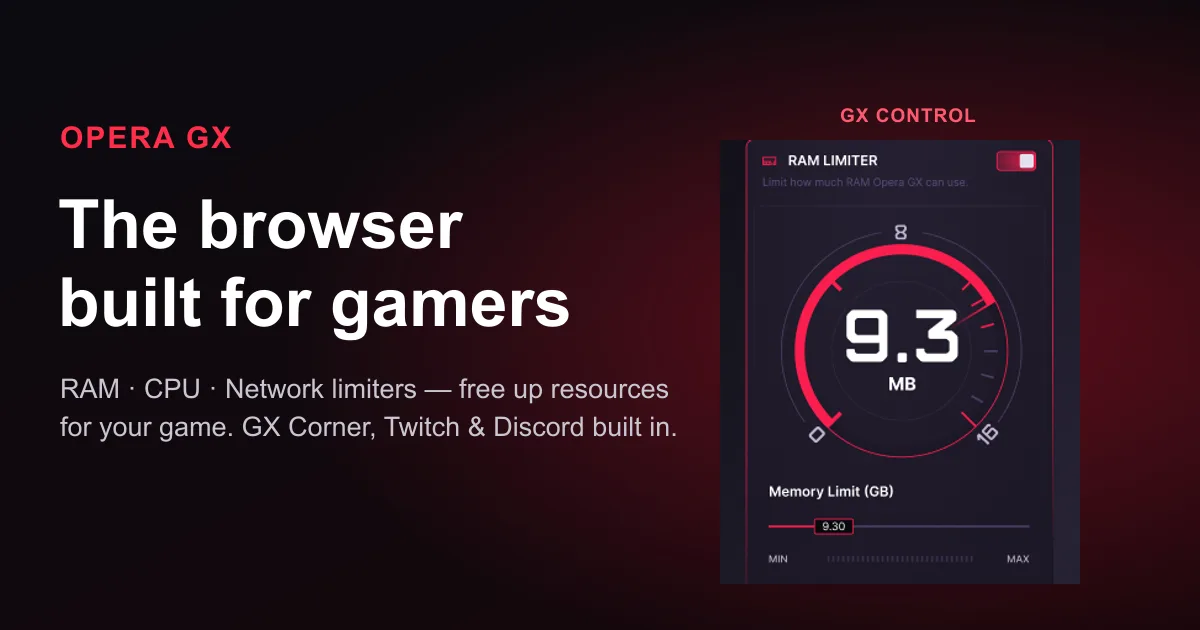
Your browser is quietly eating the RAM your game needs. Chrome with a dozen tabs, a wiki, a build guide and a Twitch stream open can swallow several gigabytes — and on a mid-range gaming PC that’s the difference between smooth frames and stutters. Opera GX is a free, Chromium-based browser built specifically for gamers to fix exactly that, and it’s been the cult favorite on gaming rigs for years. You can get it free for Windows right now — here’s what makes it worth the switch.
GX Control: cap the browser, free up your game
The headline feature is GX Control, a panel with three sliders that most browsers simply don’t have:
- RAM limiter — set a hard ceiling on how much memory the browser is allowed to use, so it can’t balloon past your limit while you play.
- CPU limiter — cap the browser’s processor share so background tabs stop stealing cycles from your game.
- Network limiter — throttle the browser’s bandwidth so a big background transfer doesn’t spike your ping mid-match.
Be clear-eyed about what this does: it doesn’t magically boost your FPS or optimize the game engine. What it does is stop the browser from hogging RAM, CPU and bandwidth — leaving more headroom for the game that actually needs it. On a machine where you keep a browser open while gaming (most of us), that headroom is the whole point. There’s also a Hot Tabs Killer that spots the tab chewing through resources and lets you close it in one click.
Everything a gamer keeps open, in one place
Opera GX bakes the services you’d normally juggle in separate tabs straight into a sidebar: Twitch (with go-live notifications for channels you follow), Discord, and messengers — all a click away without alt-tabbing. Then there’s GX Corner, a built-in dashboard of gaming news, deals, free-game giveaways, demos and a release calendar so you never miss a launch or a freebie. See the full feature set on the official page.
Made to look like your rig
This is where Opera GX leans into its identity. You get deep customization — themes, accent colors, UI sounds, background music, and RGB lighting sync (Razer Chroma and compatible hardware) so the browser matches your setup. A library of community Mods reskins it after your favorite games. And the practical extras are there too: a built-in ad blocker and a free browser VPN, both on by a toggle.
How to get Opera GX (free, on Windows)
It’s completely free and sets up in a couple of minutes on Windows (it’s also on Mac, mobile, and — since 2026 — Linux). Because it’s built on Chromium, your Chrome extensions, bookmarks and passwords carry over in one step, so switching costs you almost nothing. If you keep a browser open while you game — and who doesn’t — it’s a free upgrade worth five minutes to try.